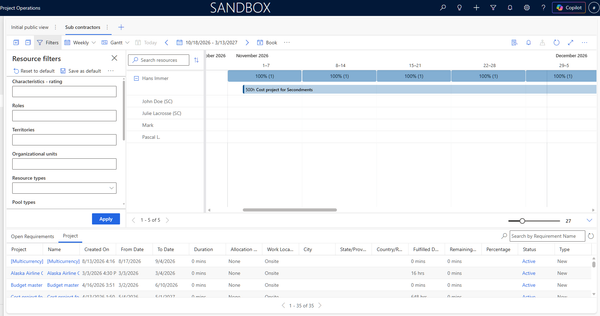
Modern collaboration model
Let's have here a preliminary look into the modern collaboration model of Project Operations, outside of the Teams chat integration that we can have part of the standard features and integration with M365.
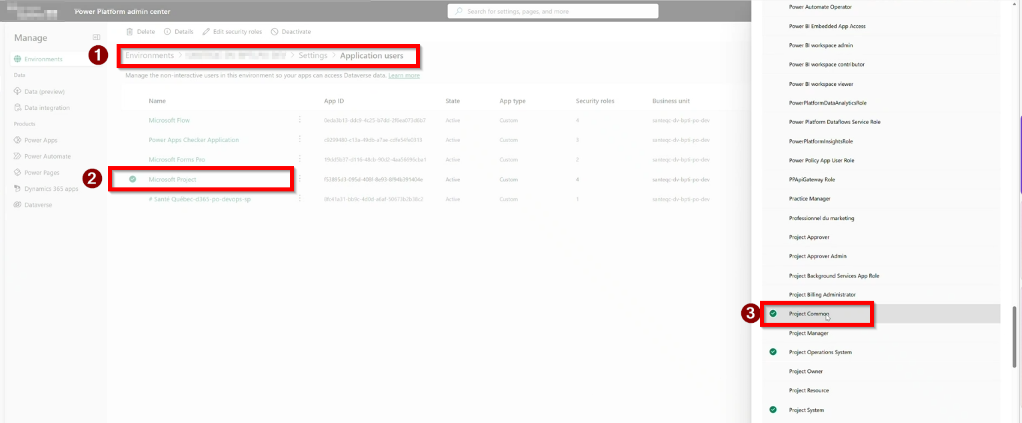
Prerequisite: The "Project Common" role must be assigned to the app user "Project" or "Microsoft Project" (depending on the version, the app user can be named differently)
1. Group‑based ownership has replaced the old “Collaborate” feature
When a project is created or shared, Microsoft Project automatically creates a Microsoft 365 Group and a corresponding Dataverse Team, and updates the project Owner to that team. This group-backed ownership is the modern replacement for the legacy Collaborate feature and is required to enable Planner, SharePoint, and Teams integration.
If a customization enforces a fixed owner (for example, a custom team), it can block this flow and prevent collaboration features from working correctly.
2. Adding users to tasks or to the project team does not automatically make them collaborators
Assigning a user to a task does not automatically add them to the project’s Microsoft 365 Group. This is intentional, to avoid granting broader project access unintentionally.
To make someone a project collaborator, they must be explicitly added using the Share button.
3. The Share button is now the primary way to manage project membership
In the modern model:
- Share adds users to the project’s Microsoft 365 Group (provided they are part of the team or assigned to tasks
- Group membership grants access to the project, plan, and related artifacts
- There is no separate “Collaborate” action anymore — Share effectively replaces it
4. Dataverse Team membership may appear with a delay
After sharing a project, users are added immediately to the Microsoft 365 Group, but the corresponding Dataverse Team membership may sync asynchronously. A short delay before users appear in the Dataverse Team is expected behavior.
5. Is Share used for both collaborators and non‑collaborators?
Yes. In the current Project experience, Share is used to add all users who need access to the project:
- Core collaborators
- Occasional or external participants
The distinction is no longer made by different buttons, but by who you choose to add to the project’s group.
6. Are non‑collaborators able to access Dynamics 365 Project Operations?
No, assuming they don't have licences and access.
In summary:
- This behavior is intentional and part of the modern Project architecture
- Group-backed ownership and Share-based access replace legacy collaboration flows
- Explicit sharing is required to control project access and avoid over-collaboration